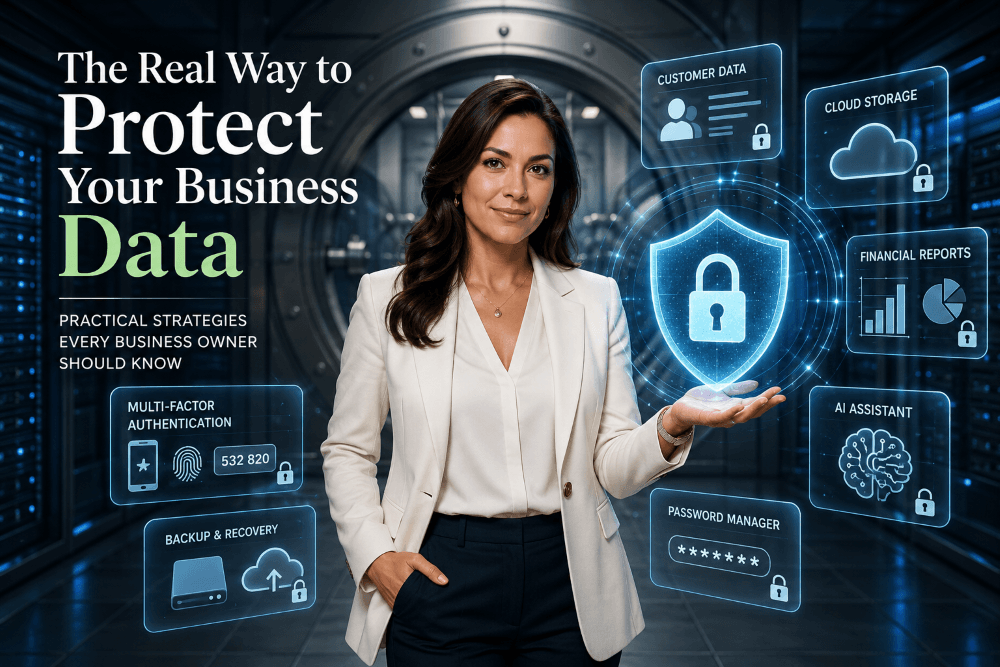
Business owners have never had more tools at their disposal. Cloud computing, artificial intelligence, and remote work have made it easier than ever to launch and grow a company. But these same technologies have also created new risks. If you want to protect your business data, cybersecurity is no longer something you can ignore or leave to the IT department.
Many entrepreneurs think hackers only target giant corporations. The reality is quite different. Small businesses are often the preferred targets because they tend to have weaker security and fewer resources dedicated to protecting their digital assets.
The good news is that improving your security doesn’t necessarily require spending thousands of dollars. In many cases, simple habits and good planning provide the greatest protection.
Why Cybersecurity Is No Longer Optional
Every business depends on data.
Whether you run a law office, a consulting firm, an online store, or a neighborhood restaurant, your business relies on information such as:
- Customer records
- Financial information
- Contracts
- Employee files
- Marketing materials
- Intellectual property
- Email communications
Imagine arriving at work tomorrow and discovering that all of your files have disappeared.
Would your business survive?
For some companies, the answer is yes. For many others, losing access to their data—even for a few days—could mean lost customers, missed payroll, damaged reputations, or even bankruptcy.
Cybercriminals know this. Modern attacks are no longer limited to large corporations. They often target the businesses least prepared to defend themselves.
Cybersecurity should be viewed the same way you view insurance. You hope you never need it, but you’ll be grateful to have it when something goes wrong.
Protect Your Business Data by Building Good Habits
Technology matters, but habits matter even more.
Most successful cyberattacks don’t begin with sophisticated hacking. They begin with human error.
Someone clicks a fake email.
Someone reuses the same password.
Someone shares confidential information with the wrong person.
Someone forgets to install an important security update.
These are ordinary mistakes made by ordinary people.
The best cybersecurity strategy is creating routines that make these mistakes less likely.
Your Employees Are Your First Line of Defense
Many business owners invest heavily in firewalls, antivirus software, and expensive cybersecurity products.
Then they give every employee the same password they’ve been using for five years.
Technology cannot compensate for poor security habits.
If you have employees, contractors, or virtual assistants, everyone should understand some basic rules:
- Never open unexpected email attachments.
- Verify payment requests before sending money.
- Be suspicious of urgent messages demanding immediate action.
- Never share passwords.
- Lock computers when leaving the desk.
- Report unusual activity immediately.
Cybersecurity isn’t just an IT problem.
It is a business culture.
Just as companies train employees about customer service and workplace safety, they should also teach basic digital security.
One well-trained employee can prevent thousands—or even millions—of dollars in losses.
Use a Password Manager and Multi-Factor Authentication
If I could recommend only two cybersecurity improvements for every small business, they would be these:
- Use a password manager.
- Enable multi-factor authentication (MFA).
Most people have dozens, if not hundreds, of online accounts.
Trying to remember unique passwords for each one is impossible. As a result, many people reuse the same password everywhere.
That creates enormous risk.
If one website is compromised, criminals immediately try those same credentials on banking websites, cloud storage services, accounting software, and email accounts.
A password manager solves this problem by generating long, unique passwords for every account while requiring you to remember only one master password.
Adding multi-factor authentication provides another layer of protection.
Even if someone somehow learns your password, they still need a second verification method—usually your phone or an authentication app—to access your account.
It takes only a few extra seconds when logging in, but it dramatically reduces the likelihood of unauthorized access.
Back Up Your Data (But Don’t Stop There)
Many people believe cloud storage is the same thing as a backup.
It isn’t.
Services like Google Drive, Microsoft OneDrive, Dropbox, and iCloud are excellent for synchronizing files across devices, but synchronization can also synchronize mistakes.
If ransomware encrypts your files, those encrypted files may synchronize across all your devices.
If someone accidentally deletes an important folder, that deletion may also synchronize.
A true backup allows you to restore previous versions of your data—even after disaster strikes.
A good backup strategy follows the 3-2-1 Rule:
- Keep three copies of your data.
- Store them on two different types of media.
- Keep one copy completely offline or offsite.
Testing your backups is equally important.
Many companies discover their backups don’t actually work only after they desperately need them.
Don’t wait for a crisis to find out whether your recovery plan is effective.
Be Careful What You Share with AI Tools
Artificial intelligence has quickly become one of the most valuable productivity tools available to businesses. AI can draft emails, summarize documents, analyze spreadsheets, write code, and help solve complex problems in seconds.
However, these benefits come with an important responsibility.
Before copying information into an AI assistant, ask yourself a simple question:
Would I be comfortable if this information became public?
While many AI providers have strengthened their privacy protections, businesses should still establish clear policies about what employees can and cannot share with AI tools.
Examples of information that should generally never be entered into public AI systems include:
- Customer personal information
- Financial statements
- Confidential contracts
- Trade secrets
- Product designs
- Proprietary source code
- Unreleased business strategies
AI should make your business more productive—not become an accidental source of data leaks.
The smartest companies embrace AI while also educating employees about responsible use.
Keep Software Updated
Software updates are easy to postpone.
The notification appears while you’re busy, and you click “Remind me later.”
Then later becomes next week.
Then next month.
Unfortunately, cybercriminals often move faster than software users.
Many updates are not adding new features—they are closing security vulnerabilities that criminals already know how to exploit.
Updating regularly should include:
- Your operating system
- Web browsers
- Accounting software
- Office software
- Mobile devices
- Wi-Fi routers
- Antivirus software
- Password managers
Whenever possible, enable automatic updates.
One forgotten update can create an unnecessary opening for attackers.
Prepare for the Day Something Goes Wrong
No security system is perfect.
The goal is not to eliminate every possible risk.
The goal is to recover quickly when something unexpected happens.
Every business should have a simple recovery plan that answers questions such as:
- Who should employees contact if they suspect an attack?
- Where are backup copies stored?
- How quickly can operations be restored?
- Who communicates with customers?
- Who contacts financial institutions if accounts are compromised?
You don’t need a 200-page disaster recovery manual.
Even a simple one-page checklist can save valuable time during an emergency.
Businesses regularly prepare for fires, floods, and power failures.
Cyber incidents deserve the same level of planning.
Final Thoughts
Cybersecurity isn’t about buying the most expensive software.
It’s about reducing unnecessary risk through smart decisions and consistent habits.
The businesses that recover fastest from cyberattacks are rarely the ones with the biggest IT budgets. They’re the ones that planned ahead, trained their employees, maintained reliable backups, and built a culture where protecting information is everyone’s responsibility.
Technology will continue to evolve.
Artificial intelligence will become more powerful.
Cybercriminals will continue looking for new opportunities.
But one principle will remain unchanged:
The real way to protect your business data is to make cybersecurity part of how you run your business every day—not something you think about only after a crisis.
Your customers trust you with their information.
Protecting that trust may be one of the most valuable investments you’ll ever make.
Frequently Asked Questions
What is the best way to protect business data?
The best approach combines multiple layers of protection, including strong passwords, multi-factor authentication, regular backups, software updates, employee training, and clear cybersecurity policies.
Why are small businesses targeted by hackers?
Small businesses often have fewer security resources than large corporations, making them attractive targets for ransomware, phishing attacks, and credential theft.
Is cloud storage enough to protect my business data?
No. Cloud storage helps synchronize files across devices, but it is not a complete backup solution. Businesses should maintain independent backups that can be restored even after accidental deletion or ransomware attacks.
Can employees safely use AI tools with company information?
Yes, but businesses should establish clear guidelines. Employees should never upload confidential customer information, financial records, trade secrets, or proprietary documents into public AI tools unless approved by company policy.
Other Business blog posts